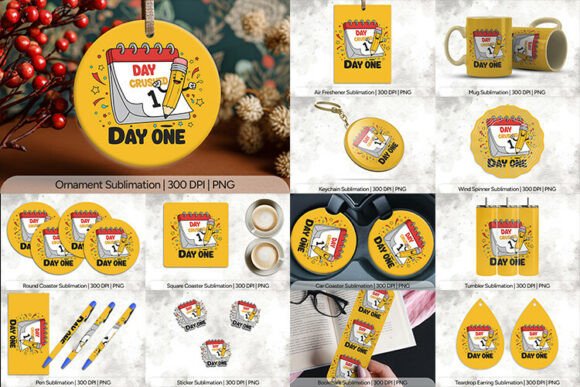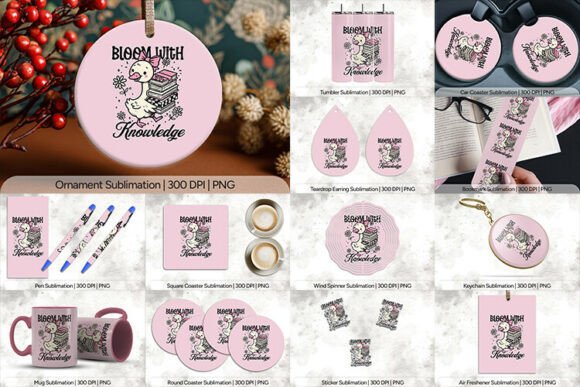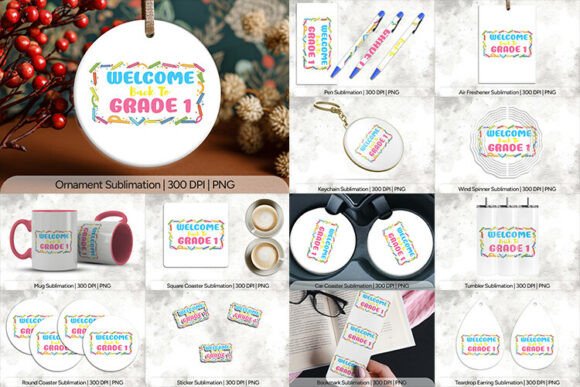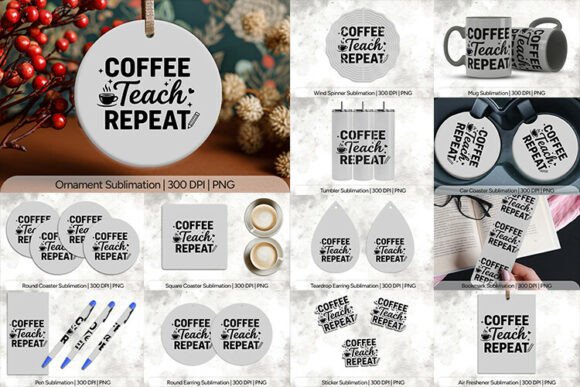
Learning League Sublimation PNG: A Complete Guide to the 14-Piece Design Collection
If you are diving into the world of sublimation printing, you have likely encountered a flood of digital assets claiming to be "ready to print." However, not all files are created equal. Many creators waste hours resizing low-quality images or struggle with transparent backgrounds that refuse to stay put. This is where the Learning League Sublimation PNG collection stands out as a practical solution for educators, small business owners, and hobbyists alike. Instead of piecing together individual elements from various sources, this specific bundle offers a cohesive set of 14 high-resolution products designed to streamline your workflow immediately.
The core value of this package lies in its precision. In the sublimation industry, the difference between a professional-looking product and a blurry disappointment often comes down to DPI (dots per inch) and pixel dimensions. Most free resources online are optimized for web viewing at 72 DPI, which looks fine on a screen but turns into a pixelated mess when printed on a mug or a t-shirt. The Learning League collection addresses this fundamental error by providing every file at a crisp 300 DPI. This ensures that whether you are printing a tiny 1×1 inch sticker or a large 9.75×8.2 inch tumbler design, the output remains sharp, vibrant, and ready for production.
Understanding the Dimensions: Why Size Matters More Than You Think
One of the most common mistakes beginners make is assuming that all sublimation blanks are the same size. They are not. When you download a generic image, it might fit a standard coffee mug but look stretched or cut off on a specialized travel tumbler. The Learning League Sublimation PNG bundle eliminates this guesswork by including specific dimensions tailored to popular blanks.
For instance, consider the Mug file. It measures 9.75×4.75 inches with a resolution of 2925×1425 pixels. This precise sizing is critical because if you try to force a smaller image onto a larger blank, you will end up with white space or distorted graphics. Conversely, if an image is too large without proper scaling, the printer may struggle with the data load. Similarly, the Tumbler file is sized at 9.3×8.2 inches (2790×2460 pixels), accounting for the unique curvature and wrap-around nature of insulated drinkware. By using these pre-calculated dimensions, you avoid the frustration of manual cropping and ensure your design covers the entire surface area perfectly.
The 14 Essential Products Included
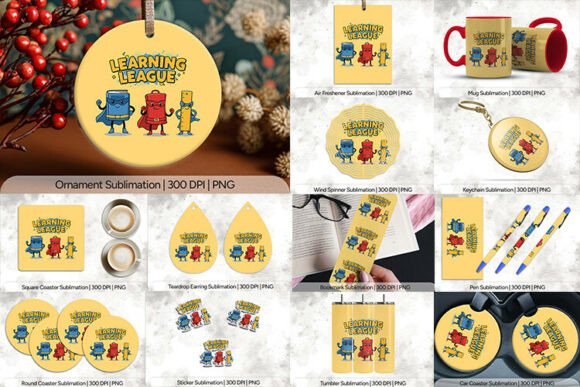
This collection is versatile enough to cover almost any classroom or craft project. Here is what you get in the pack, along with why each dimension is strategically chosen:
- Air Freshener (300 DPI): 10×10 Inches (3030×3030 Pixels). A large canvas perfect for bold text and central graphics.
- Bookmark (300 DPI): 2×6 Inches (600×1800 Pixels). A vertical format ideal for quotes and thin illustrations.
- Car Coaster (300 DPI): 2.5×2.5 Inches (758×768 Pixels). Square format for compact vehicle interiors.
- Keychain (300 DPI): 2.56×2.56 Inches (768×768 Pixels). Small but high-res for detailed logos.
- Mug (300 DPI): 9.75×4.75 Inches (2925×1425 Pixels). Standard cylindrical coverage.
- Ornament (300 DPI): 4×4 Inches (1200×1200 Pixels). Perfect for holiday decorations.
- Pen (300 DPI): 2.5×5 Inches (750×1500 Pixels). Long, narrow aspect ratio for branding.
- Round Coaster (300 DPI): 4×4 Inches (1200×1200 Pixels). Designed to fill circular mats efficiently.
- Round Earring (300 DPI): 1.5×1.5 Inches (450×450 Pixels). Miniature scale for jewelry making.
- Square Coaster (300 DPI): 4×4 Inches (1200×1200 Pixels). Standard square coverage.
- Sticker (300 DPI): 1×1 Inch (300×300 Pixels). Micro-scale detail for planners and laptops.
- Teardrop Earring (300 DPI): 1.35×2 Inches (405×600 Pixels). Vertical drop shape for fashion accessories.
- Tumbler (300 DPI): 9.3×8.2 Inches (2790×2460 Pixels). Tall format for insulated cups.
- Wind Spinner (300 DPI): 2.69×3.69 Inches (807×1107 Pixels). Unique aspect ratio for outdoor decor.
Avoiding Common Pitfalls in Sublimation Projects
Even with high-quality files, the final result depends on how you handle them. A frequent error involves ignoring the background transparency. While these PNG files come with transparent backgrounds, some users accidentally save them as JPEGs during transfer, introducing a white box around their design. Always ensure your software preserves the alpha channel before sending the file to your printer.
Another overlooked detail is the color profile. Sublimation printers rely on specific color management settings to translate digital RGB colors into physical dye. If you are working with the Bookmark or Sticker files, which feature smaller details, color bleeding can occur if the ink saturation is too high. To prevent this, check your printer driver settings. Do not simply choose "High Quality" blindly; instead, select the specific media type (e.g., "Sublimation Paper" or "Ceramic") to adjust the ink flow accordingly.
Furthermore, many entrepreneurs try to sell products without verifying the blank quality first. A 300 DPI image cannot fix a cheap, polyester-poor tumbler. If the coating on the blank is uneven, even the best Learning League Sublimation PNG file will look patchy. Always test a single item before running a bulk order. This practice saves money and protects your reputation as a seller.
Ideas for Maximizing Your Bundle
The versatility of this 14-piece set allows for creative cross-promotion strategies. For example, if you are targeting teachers, you could combine the Bookmark and Pen designs into a "Teacher Appreciation Kit." The vertical alignment of the pen file pairs naturally with the bookmark's length, creating a cohesive aesthetic. Similarly, the Car Coaster and Keychain make excellent low-cost add-ons for gift shops. Because the Sticker file is only 1×1 inch, it is perfect for adding a subtle logo to the corner of larger items like tote bags or posters, ensuring brand consistency across all your merchandise.
When planning your back-to-school inventory, remember that the Wind Spinner and Ornament files offer seasonal opportunities beyond just the academic year. Using these designs for winter holidays or spring fairs extends the lifecycle of your products. Don't let these files sit idle after September; repurpose the Round Coaster for Valentine's Day or the Teardrop Earrings for summer festivals.
Evaluating Your Purchase Before You Print
Before committing to a full production run, take a moment to evaluate the files against your specific equipment. Check the pixel density relative to your printer's native resolution. While 300 DPI is the industry standard, some large-format printers operate better with slightly higher pixel counts to account for stretching. If you are printing on curved surfaces like the Tumbler, ensure your heat press has even pressure distribution to prevent air bubbles, which can distort the image regardless of the file quality.
Finally, consider the intended audience. Are you creating these items for personal use, or are they part of a commercial venture? If you are selling, verify the licensing terms associated with the Learning League Sublimation PNG bundle. Ensure you have the rights to resell the finished goods. Transparency builds trust with your customers, and knowing exactly what you are buying prevents legal headaches down the road.
By understanding the technical specifications, avoiding common setup errors, and leveraging the diverse range of included products, you can transform simple digital files into high-value physical goods. Whether you are a seasoned pro looking to expand your catalog or a beginner eager to create your first custom mug, this collection provides the necessary foundation for success. Focus on quality control, respect the dimensions provided, and let your creativity shine through the clarity of 300 DPI graphics.